Section 5: Rolling back the fabric as a system
|
This lab environment does not include live production traffic sources, so monitoring and telemetry views are limited. In this section, you will focus on rollback as an operational workflow: how to move the entire fabric back to a known-good state in one controlled action. |
4.1 Scenario: the project is cancelled
You have made several commits in this lab to expand and connect services. Now imagine a realistic change-control outcome:
The project that required these changes is not going ahead.
Your task is to return the network to its previous approved state.
This is not a per-device cleanup exercise. It is a fabric-level state transition.
4.2 Compare the fabric graph before and after
Before rolling back, compare the abstract graph representation of the fabric at two points in time.
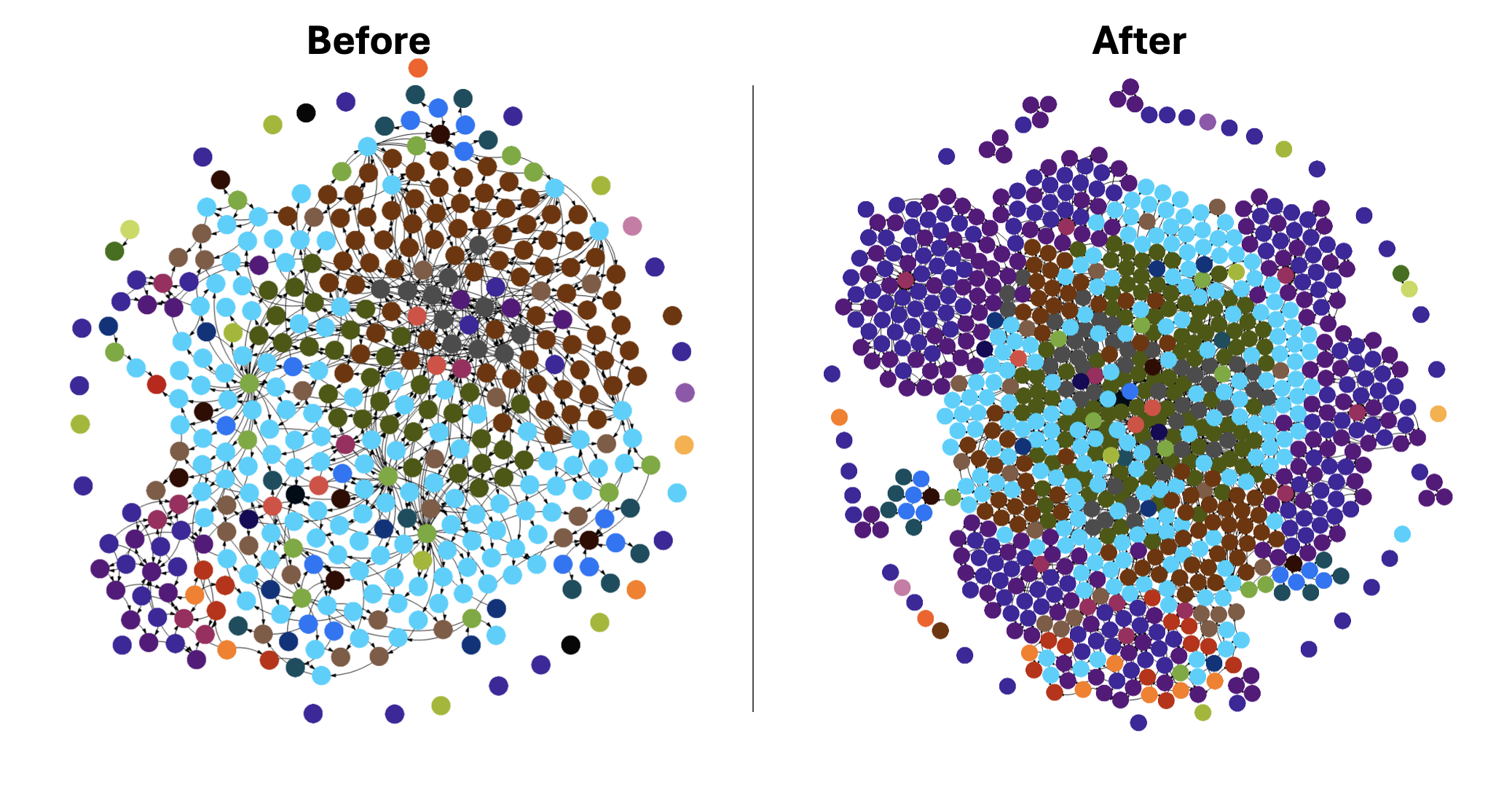
The key idea is simple:
-
the original graph is smaller and simpler
-
the current production graph is larger because of the changes you introduced
-
rollback moves the whole system from one coherent graph state to another
4.3 Execute rollback with Time Voyager
Now perform the rollback workflow.
-
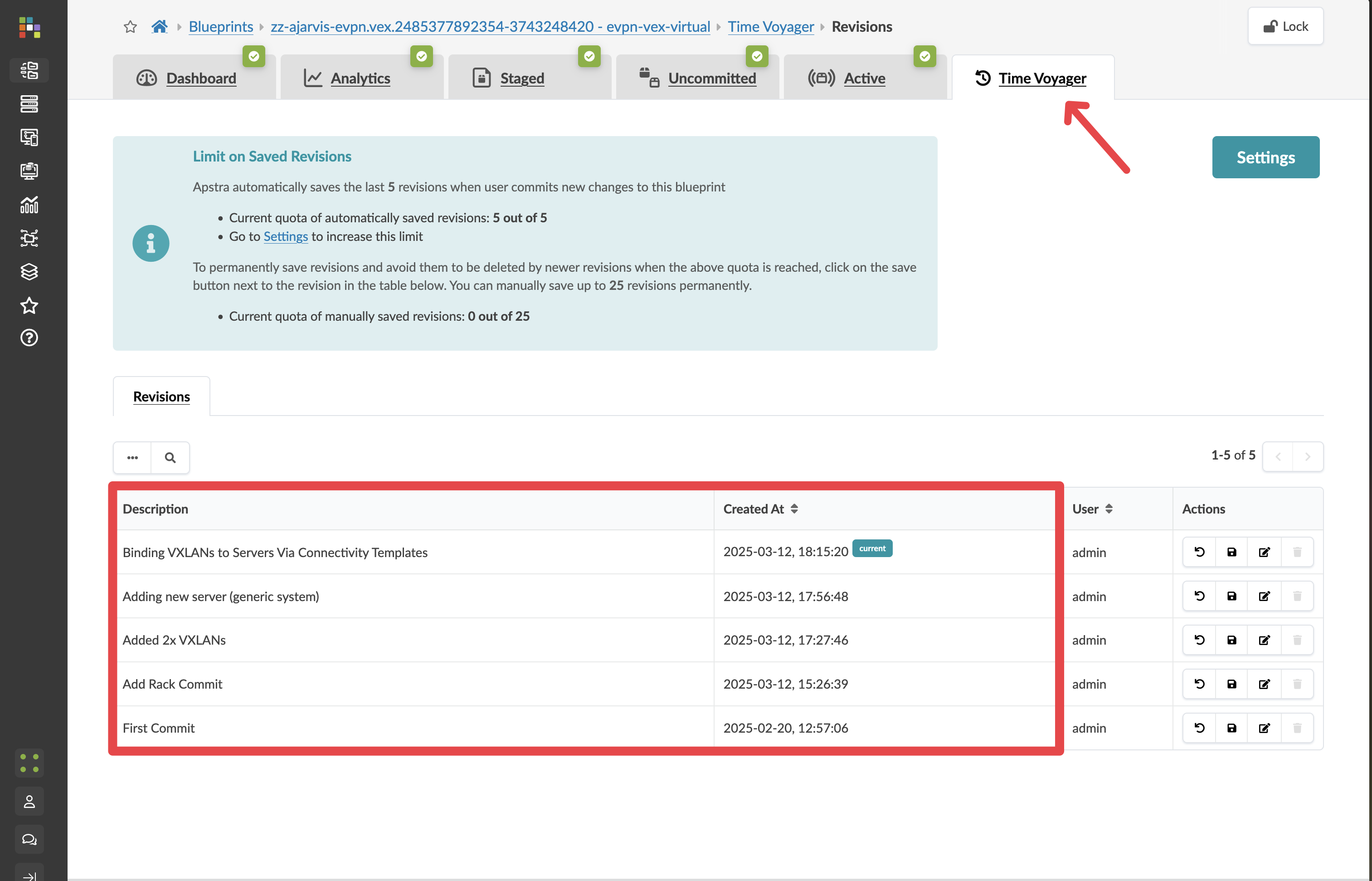
From your blueprint, open the Time Voyager tab.
-
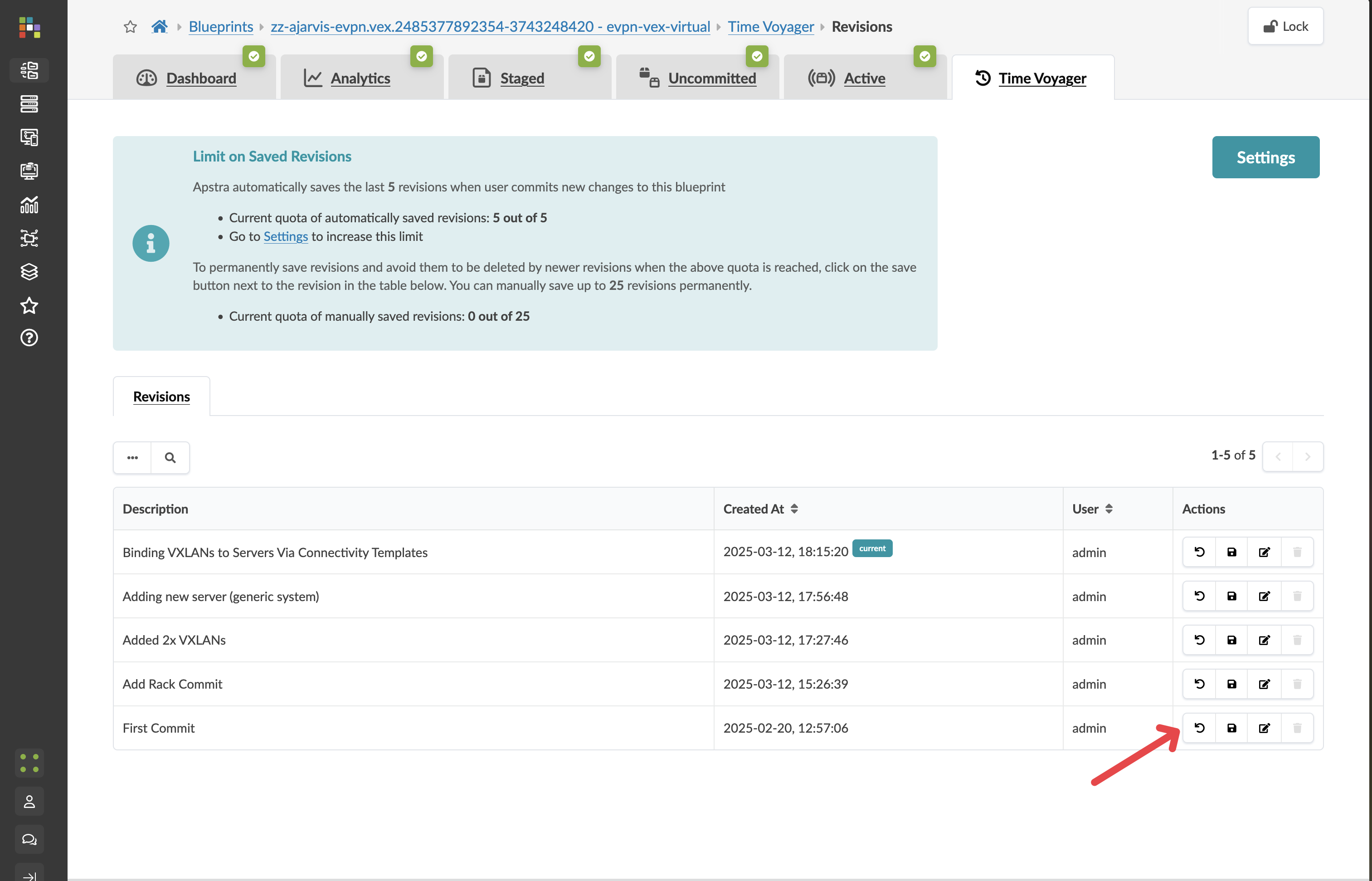
Browse commit history and select the commit from before the project changes.
-
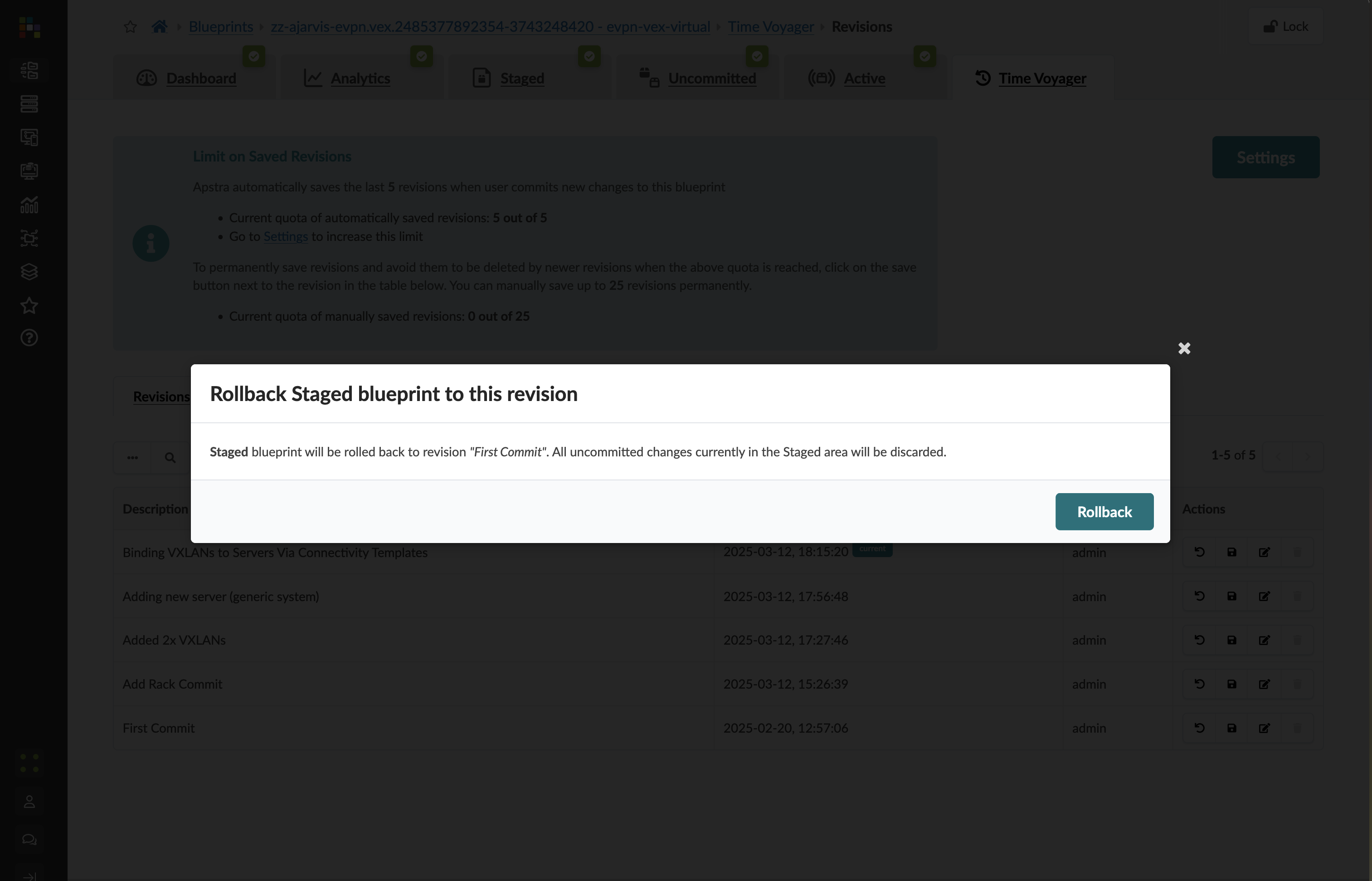
Click Rollback.
|
Rollback does not immediately change the live network. It stages the selected historical state first so you can inspect the impact. |
-
Open the Staged tab to review the proposed restored state.
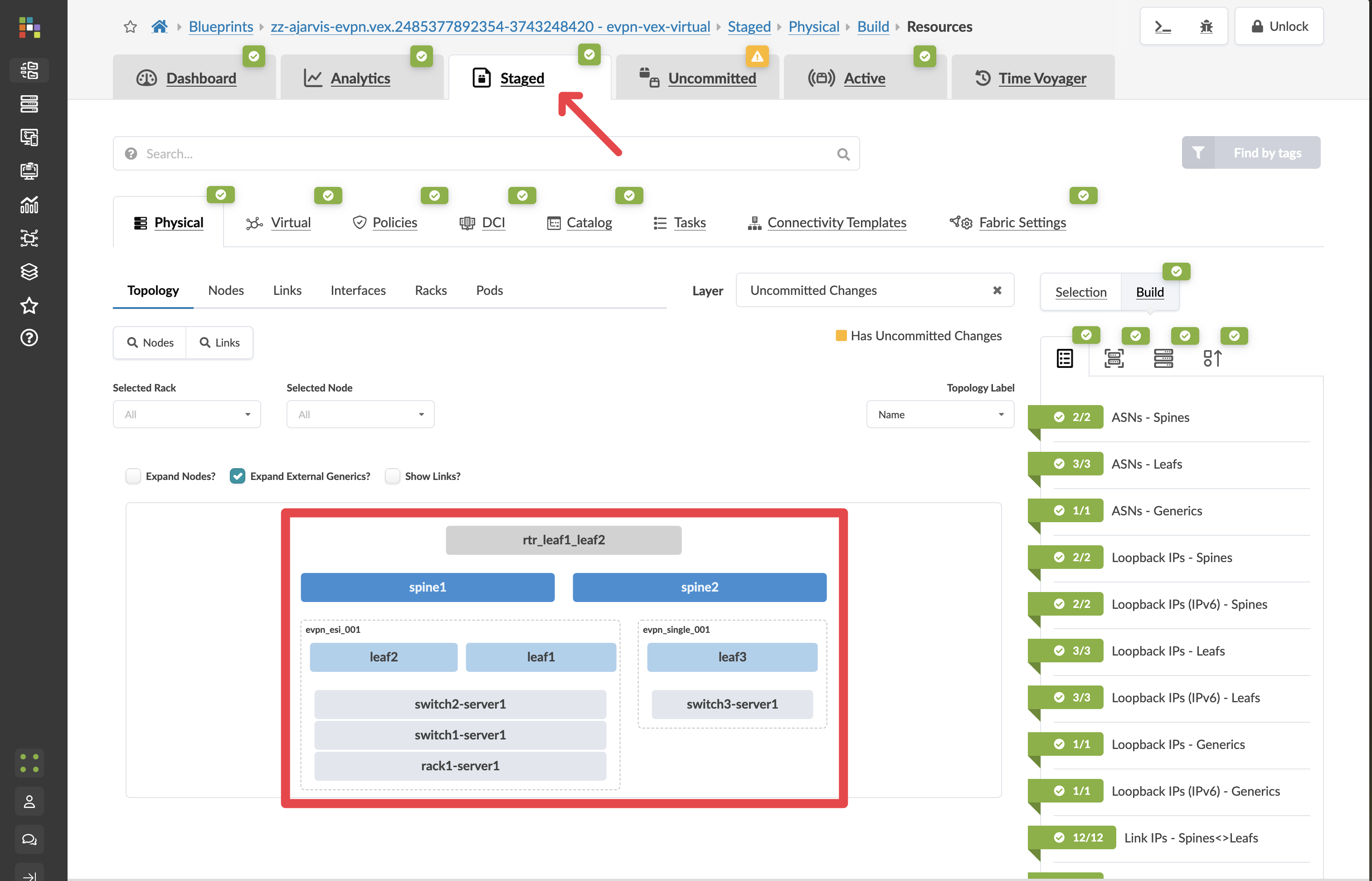
-
Open Active to confirm the live state is still unchanged.
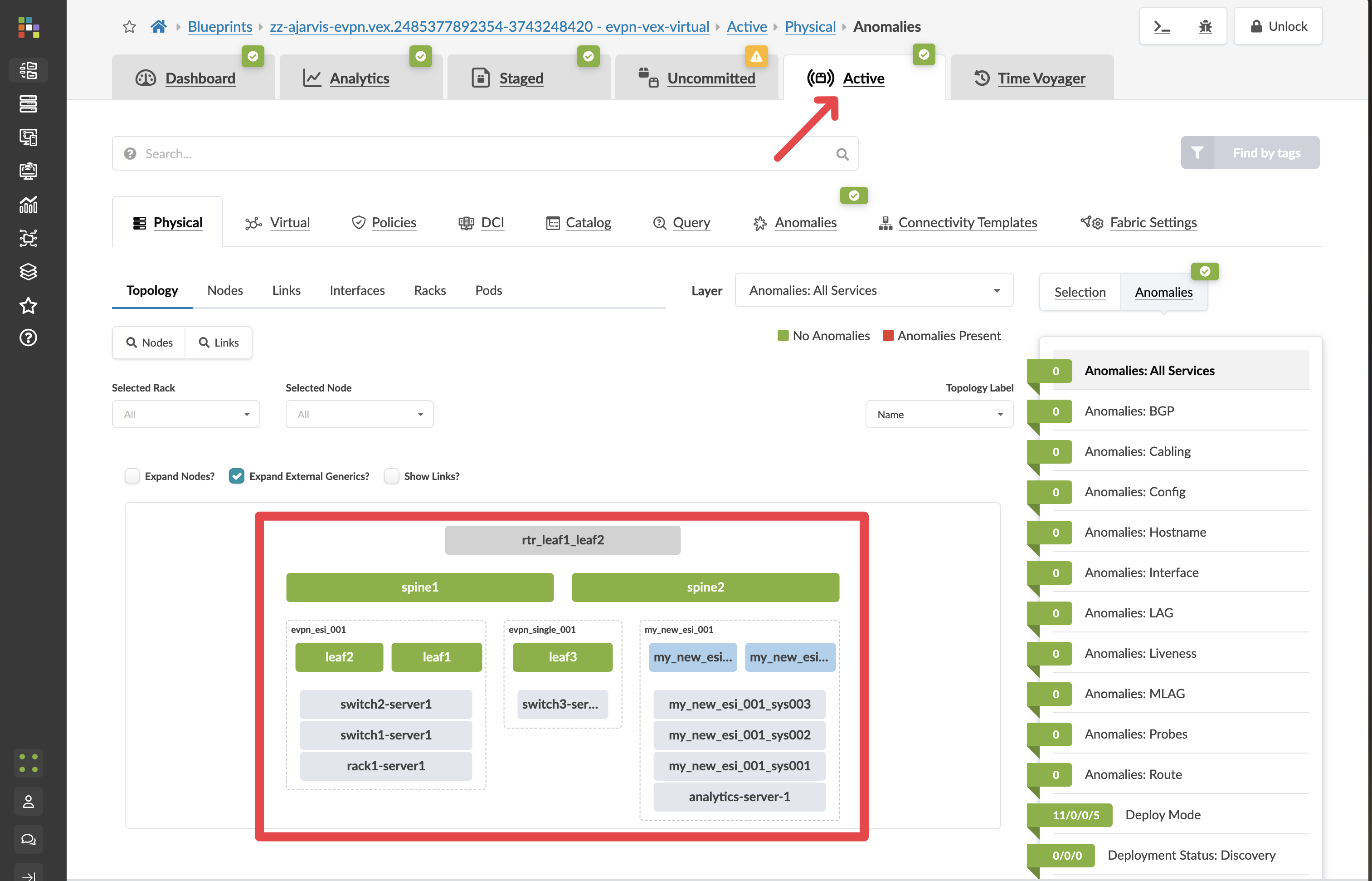
-
Open Uncommitted to inspect the exact diff.
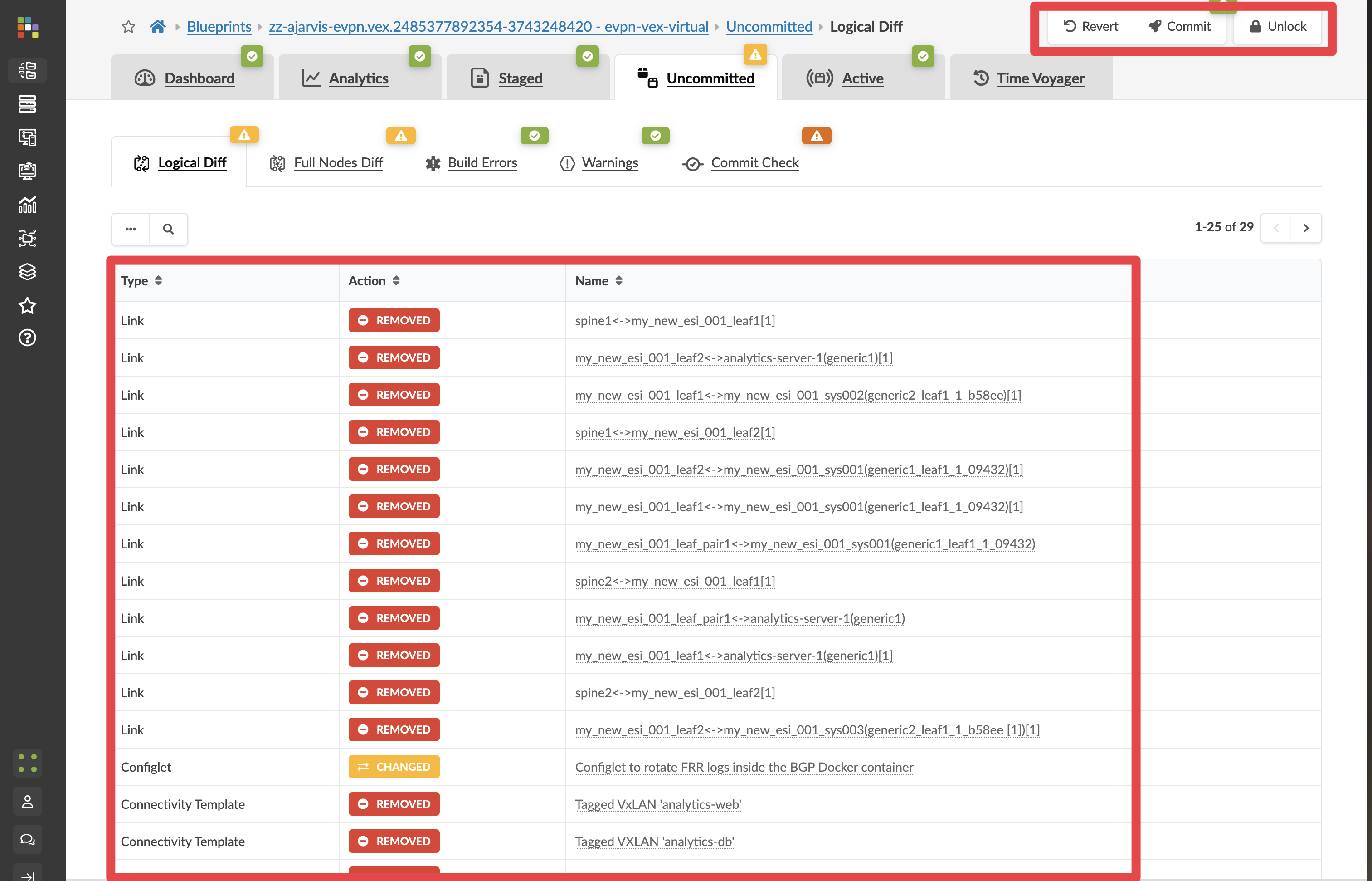
Red elements indicate what would be removed. Amber elements indicate what will be changed. Green elements indicate what would be restored.
4.4 Outcome: one operation, multiple commits reversed
After commit, the fabric returns to the earlier approved state in one operation, even if that means jumping back several commits.
This is the core operational model:
-
You are not managing isolated boxes one by one.
-
You are managing a single distributed system with a declared intent.
-
Rollback restores system-wide intent, not just individual device configuration fragments.