Apstra Test Drive Guide
Day 2 Operations with Apstra
Now that we’ve explored how Apstra enables you to design and deploy a network, let’s dive into where Apstra truly shines: ongoing operations and management of your data centre fabric.
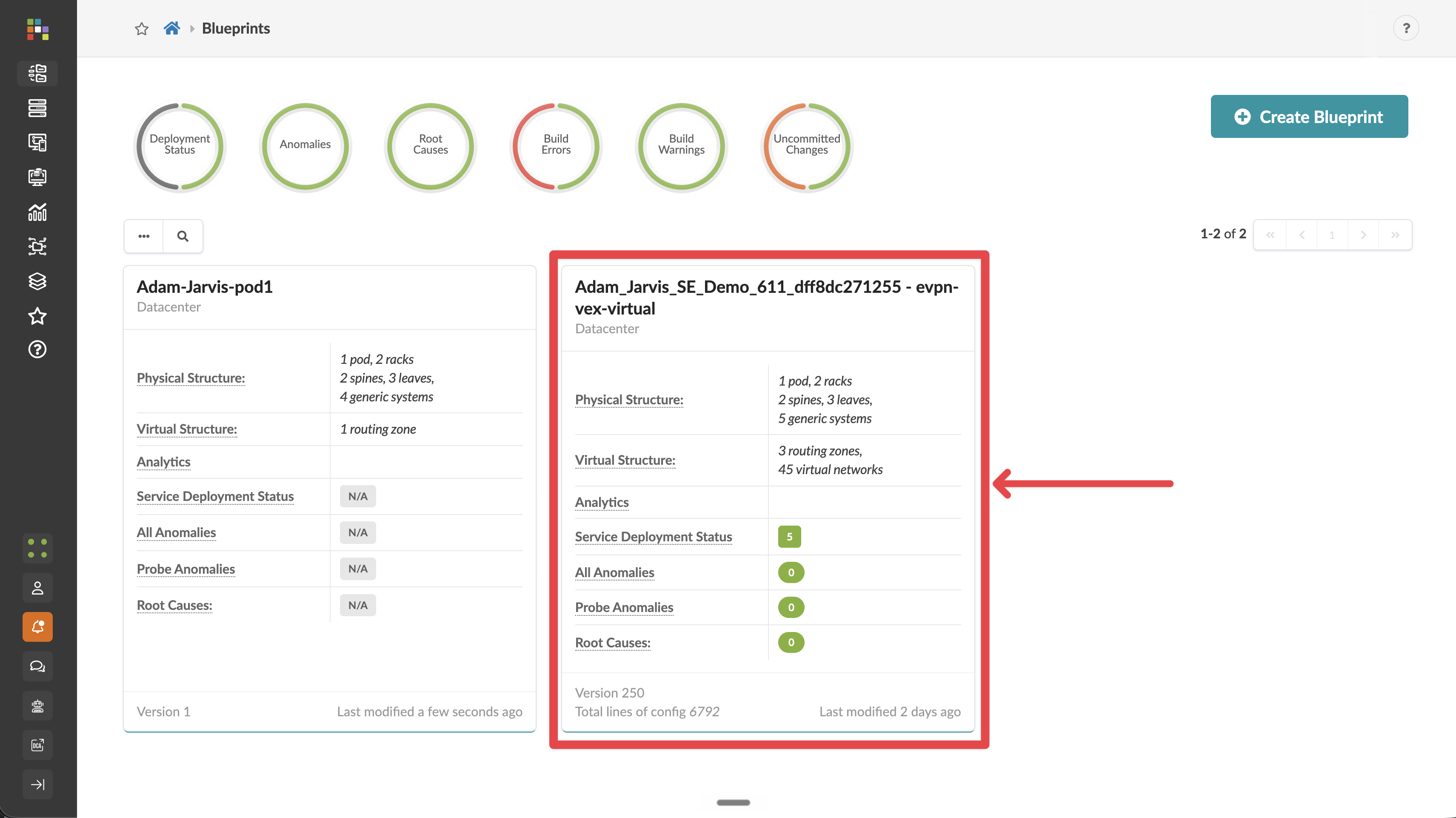
For this section, we’ll use a pre-configured blueprint called something like Robert_Lancaster_02010_Jun_SE_Demo_611_1f8e8a31eb2a - evpn-vex-virtual. The "SE Demo" blueprint contains a fully operational data center, consisting of virtual devices. This allows us to focus on the operational capabilities without performing the full deployment process.
Switching to the SE Demo Blueprint
-
Return to the Apstra main menu and navigate to Blueprints
-
Find and select the pre-existing blueprint that contains SE Demo in the name.
-
You’ll now see the dashboard for this operational network
Understanding the Dashboard
The dashboard gives you an immediate view of your network’s health and status. Let’s explore what we’re seeing:
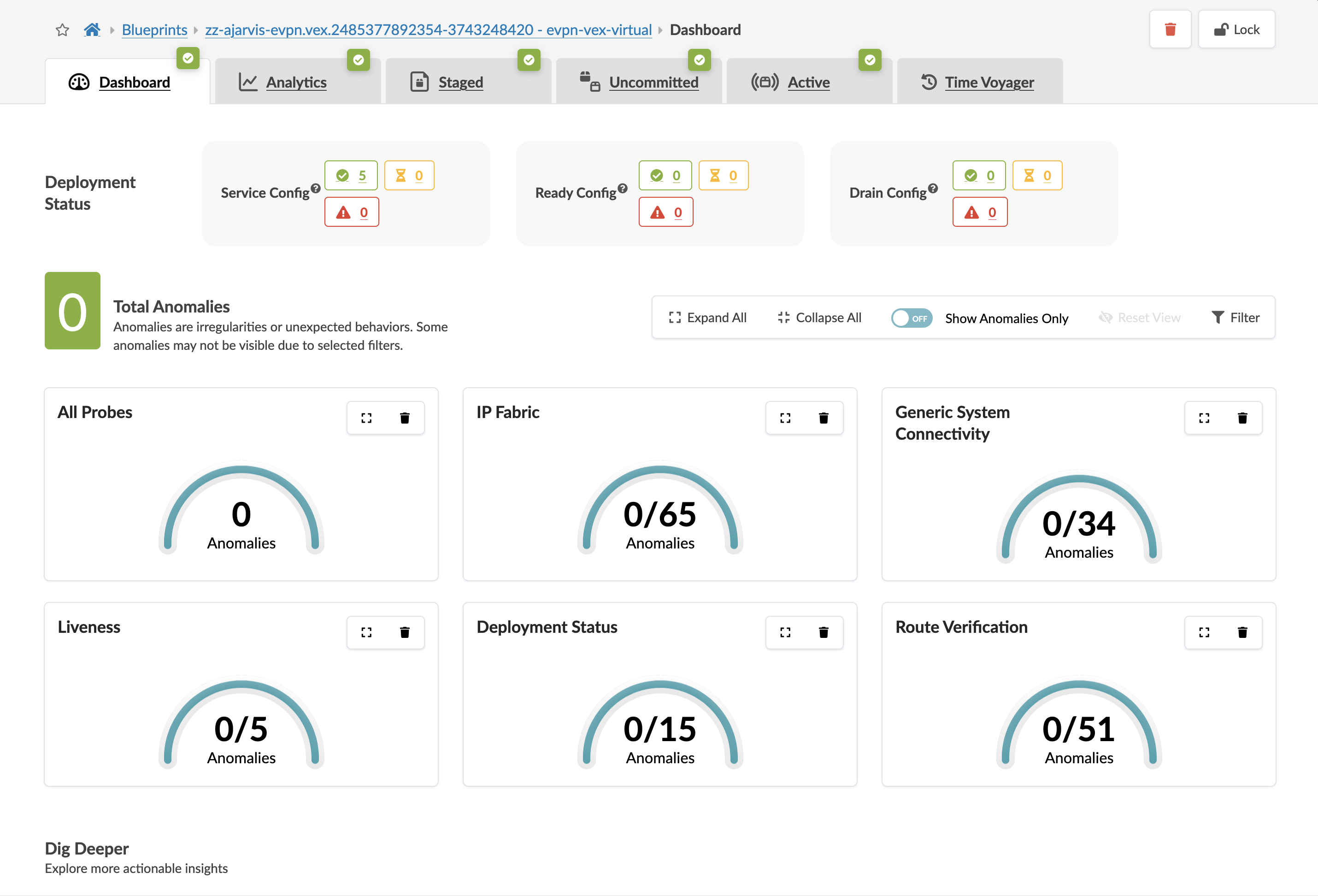
Key components of the dashboard include:
-
Health Status: Overall fabric health at a glance
-
Anomalies: Any issues that require attention
-
Fabric Devices: Status of all switches in the fabric
-
Uncommitted Changes: Work that has been staged but not yet committed
-
Recent Activity: History of changes and events
Take a moment to explore the dashboard. Notice that everything is green, indicating a healthy network with no current issues.
What We’ll Cover Next
Over the next 90 minutes or so, we’ll explore how Apstra makes day-to-day network operations dramatically simpler and more reliable. We’ll cover:
-
Scaling your network:
-
Adding a new rack to expand capacity
-
Adding new virtual networks
-
Defining connections for new servers
-
-
Network Connectivity:
-
Setting up external BGP peering
-
Managing routing and switching configurations
-
-
Network Management:
-
Using Time Voyager to roll back fabric changes
-
Troubleshooting and resolving issues
-
-
Analytics and Visibility:
-
Exploring built-in analytics
-
Creating custom analytics probes
-
Understanding how analytics stay in lockstep with your network intent
-
Let’s begin by exploring how to expand your operational data center without disrupting existing services!