Apstra Test Drive Guide
Creating Rack Types
Rack Types are modular definitions that represent the physical structure of your data center racks, including:
-
Top-of-rack switches
-
Servers and workloads
-
Connections between devices
-
Redundancy settings
Think of Rack Types as the building blocks you’ll use to assemble your complete data center design. By creating reusable Rack Types, you can quickly scale your network design by adding new instances of the same rack configuration.
In this exercise, we’ll create the most common rack configuration:
-
Dual-switch rack with redundant connectivity (dual leaf)
Create the Dual-Homed Rack
Let’s create a rack with redundant switches for high availability using EVPN ESI:
-
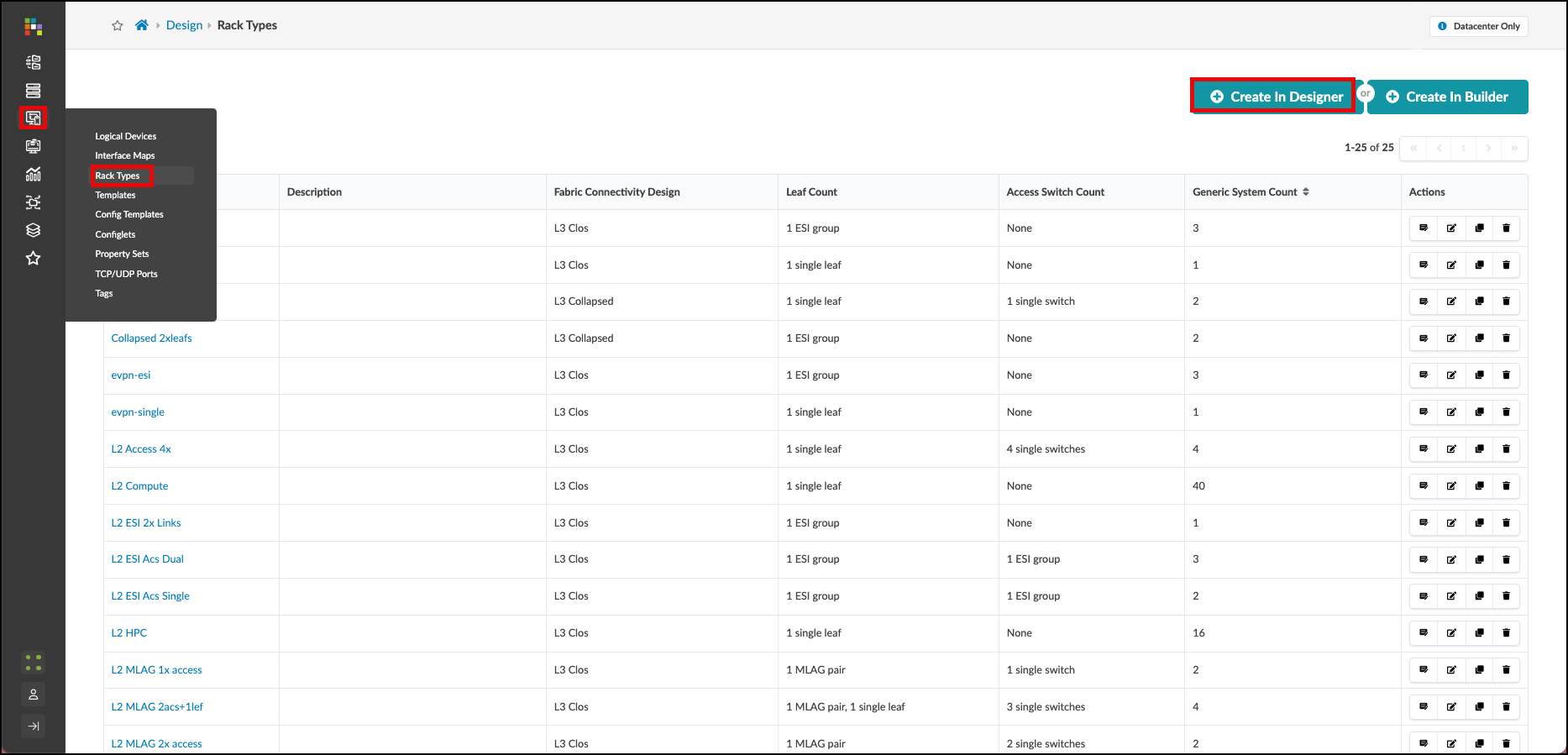
Navigate to and click Create in Designer
-
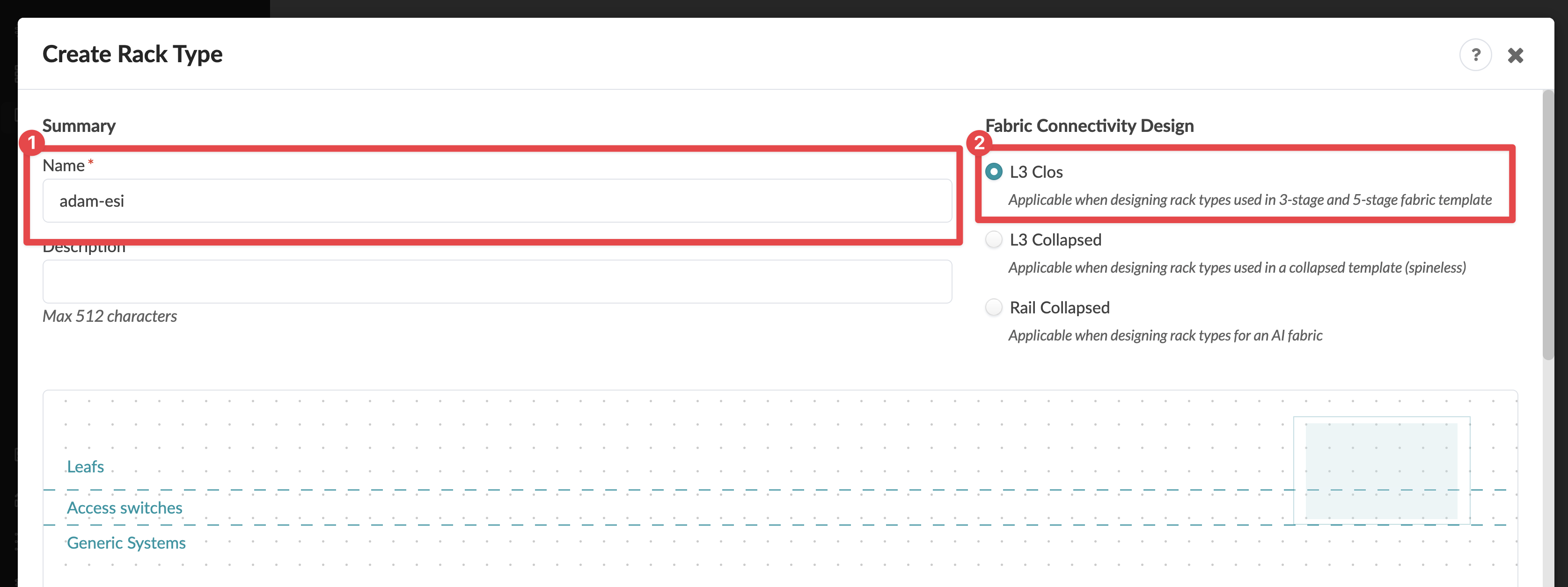
Configure the rack summary:
Summary Value Name
your_name-esi
Fabric connectivity design
L3 Clos
-
Add a leaf node and configure it:
Leafs Value Label
your_name-esi
Logical Device
slicer-7x10⁻¹
Links per spine
1
Redundancy Protocol
esi
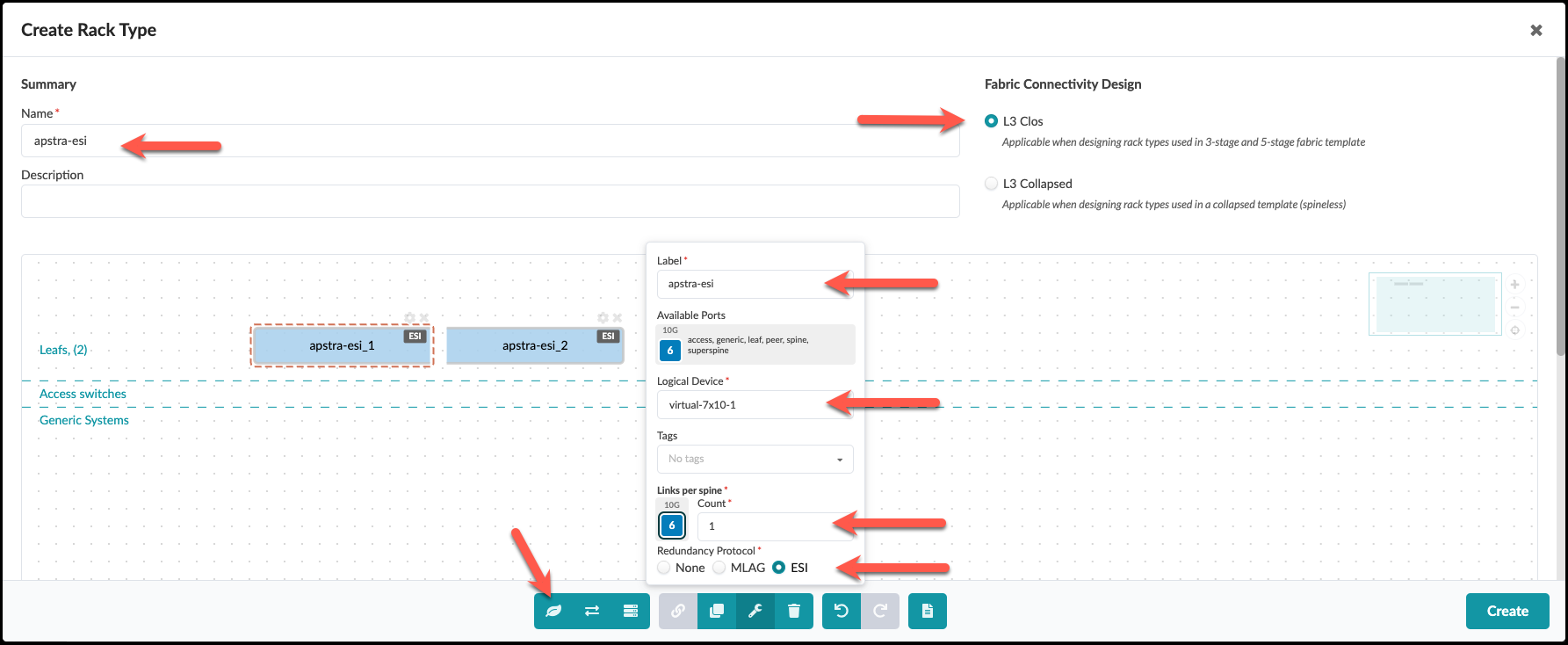
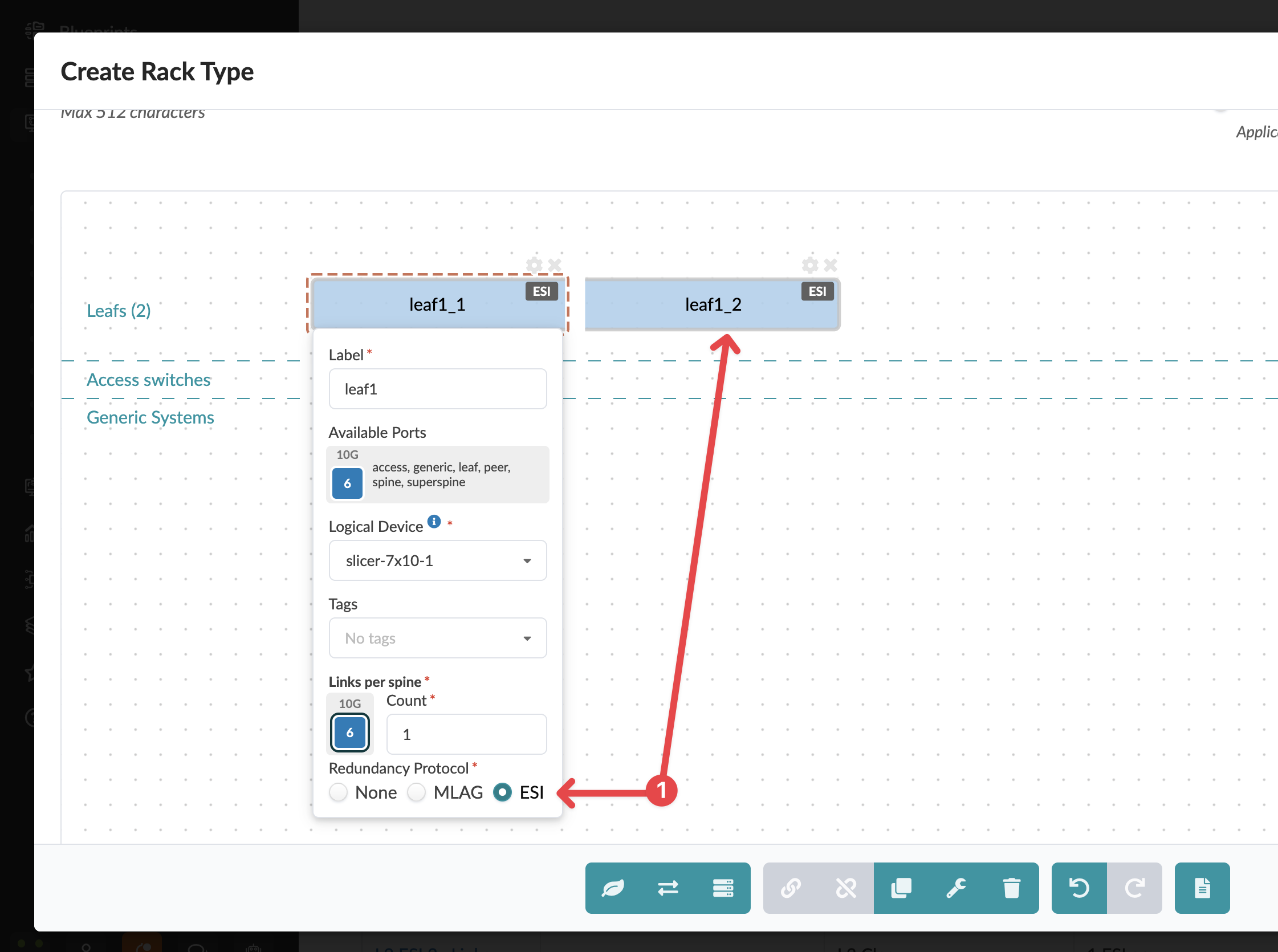
Notice how selecting "esi" automatically adds a second leaf switch to your design!
-
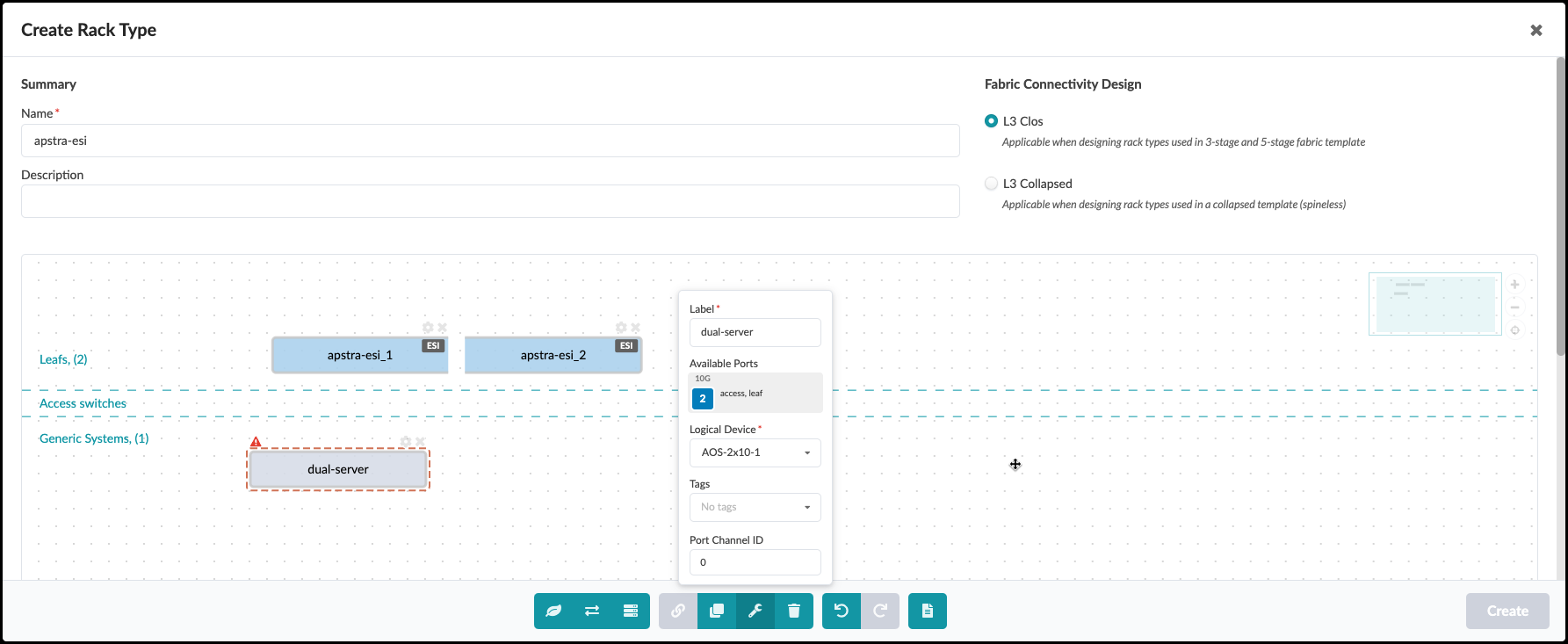
Add a dual-connected server:
Parameter Values Label
dual-server
Logical Device
AOS-2x10⁻¹
-
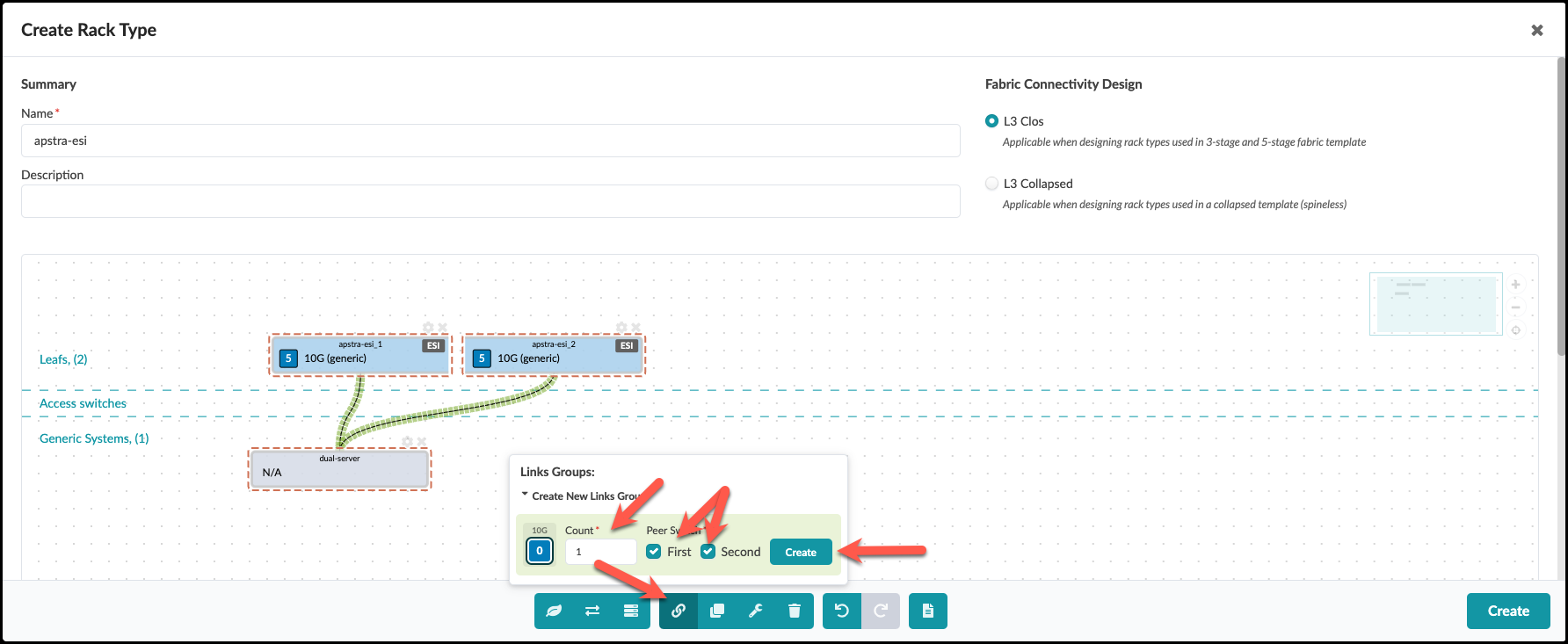
Create connections by selecting both leaf switches and the server, then:
-
Ensure both "First" and "Second" peer switches are checked
-
Click Create
-
-
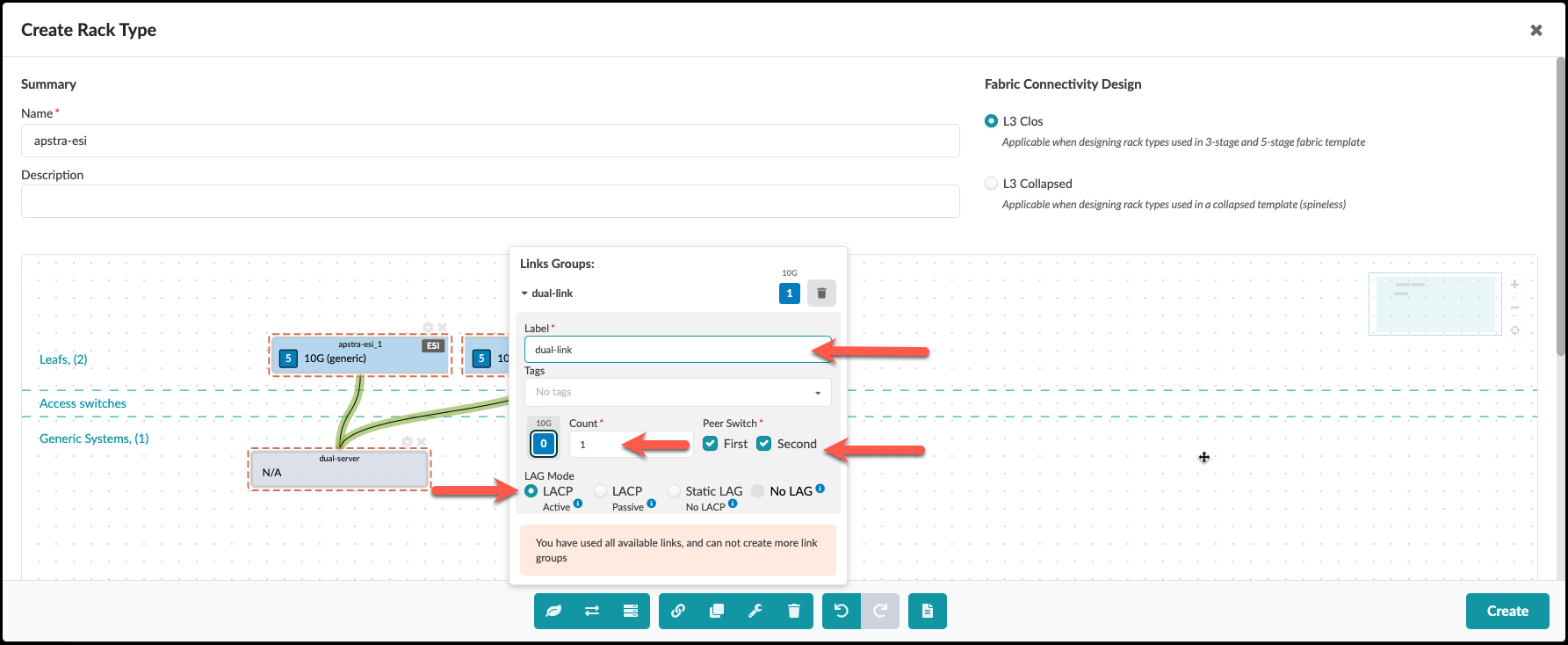
In the next screen, set LAG Mode to "LACP Active" and click Create
-
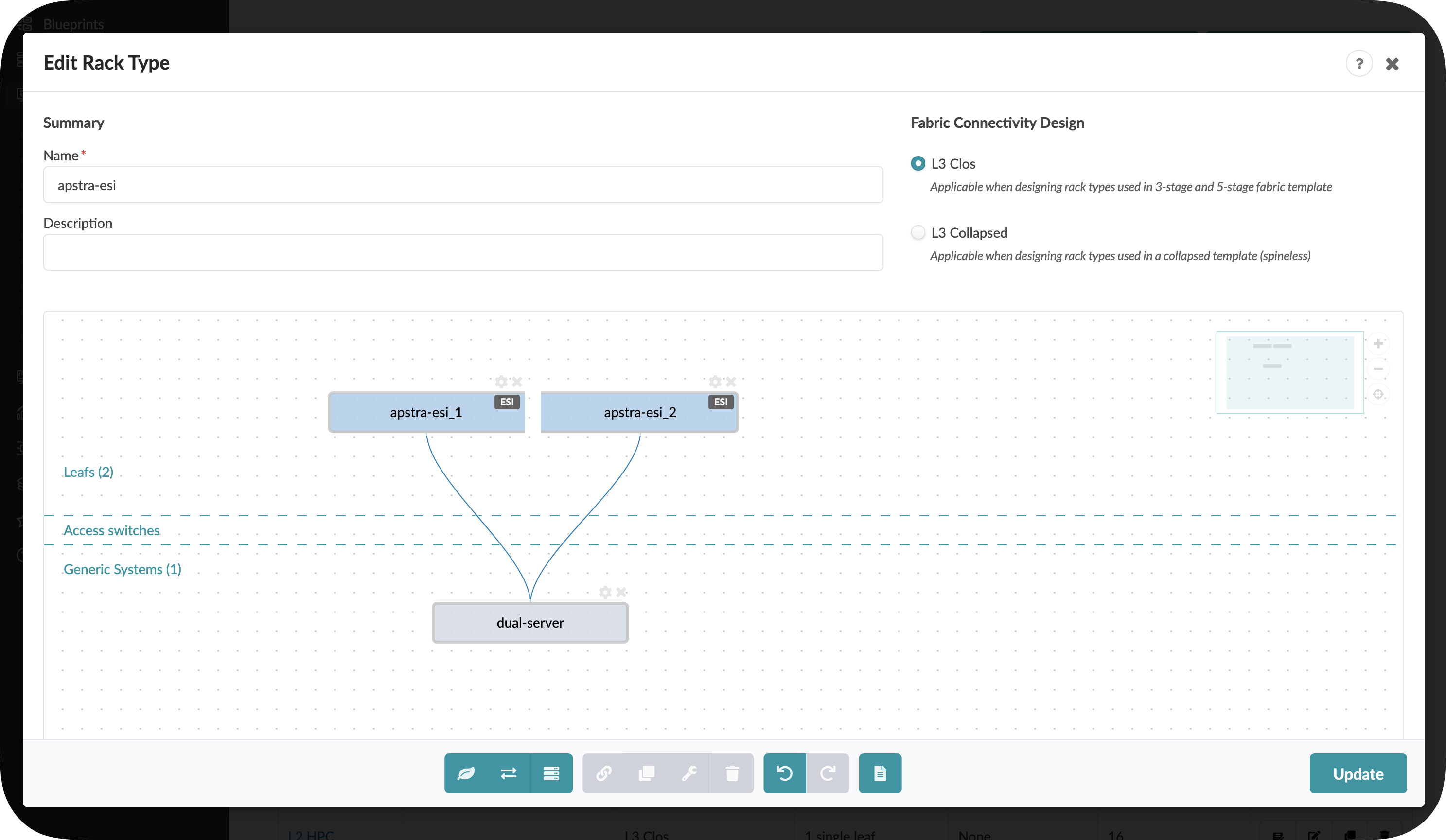
Your completed dual-switch rack should look like this:
Congratulations! You’ve created a rack type that can be used as a building block for your data center fabric design. In the next section, we’ll use this rack type to create a complete network template.
|
Pro Tip: Rack Types are extremely flexible - you can design them to match exactly how your physical racks are configured, with different server types, connection patterns, and redundancy options. For large data centers, well-designed Rack Types dramatically simplify the network design process. |