The Apstra Graph Database

If you have attended an Apstra presentation, you have almost certainly seen this:
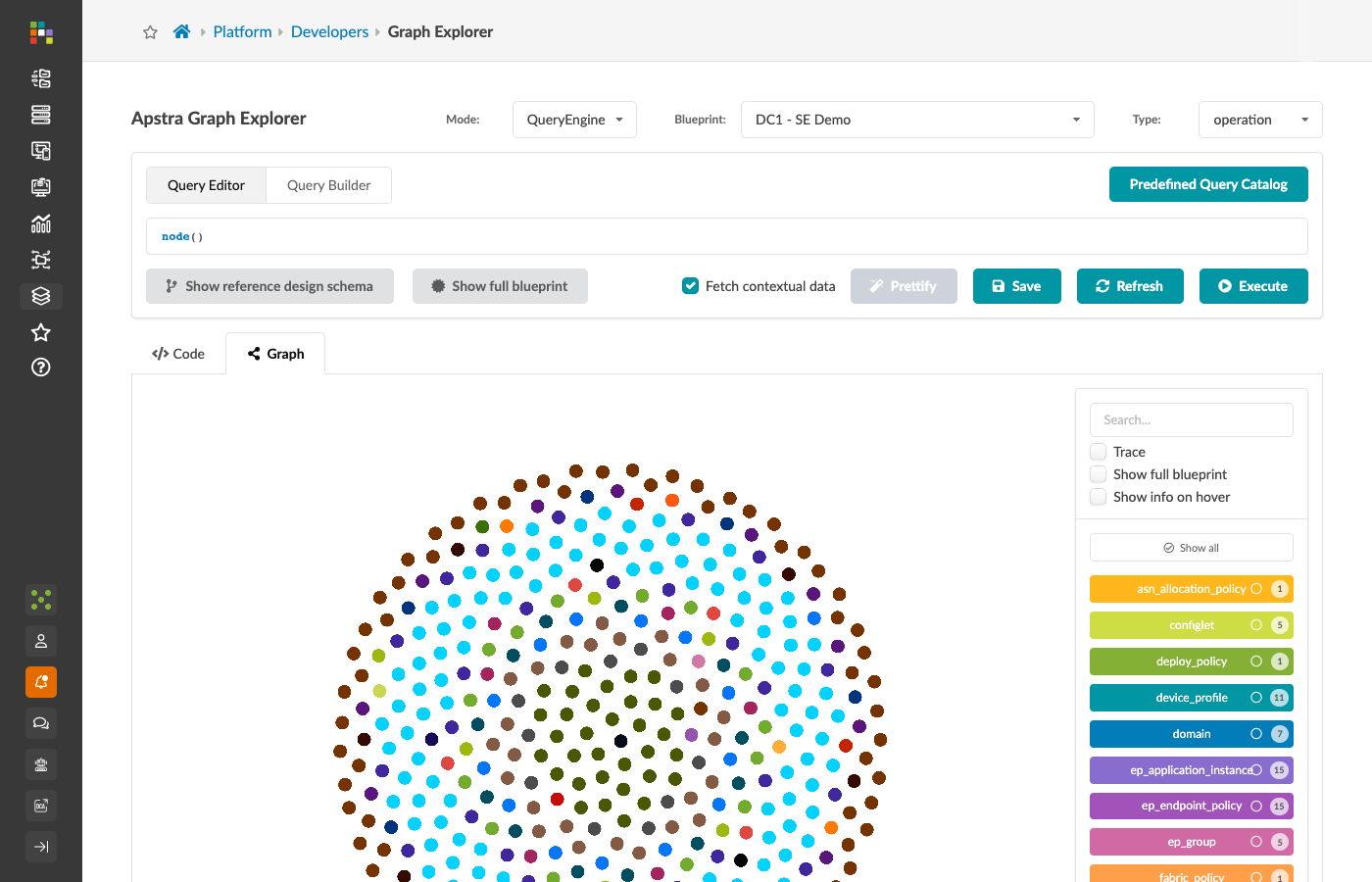
A colourful tangle of dots and lines that looks somewhere between a network diagram and modern art. That is Apstra’s graph database, visualised. This guide is for people who want to move past looking at the picture and start asking it questions.
A mental model before the syntax
A graph database stores data as nodes and relationships rather than rows and columns. Before working with Apstra’s graph, it helps to think about an example you have almost certainly used before.
The film database analogy
Sites that let you explore which actors appeared in which films, who directed them, who wrote them, are almost certainly backed by a graph database.
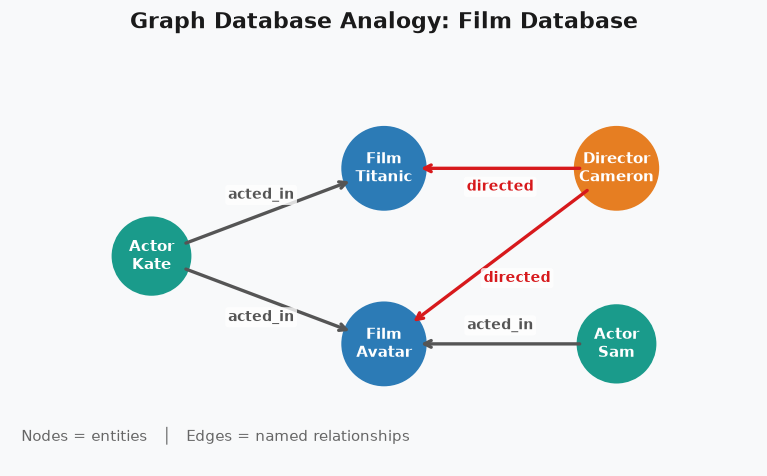
In that model:
-
Every actor, director, film, and TV show is a node — a coloured dot.
-
The colour of the dot is its type: blue for actors, green for films, purple for directors.
-
Flip any dot over and you find its data: a name, a date, a rating.
The interesting part is not the dots themselves — it is the lines between them. Those lines are relationships, and they are directional.
An actor acted in a film. A director directed the same film. These are two different relationships with two different directions, even though both connect a person to a film.
Directionality matters when the same two node types can be connected in different ways. If you see a relationship between two person nodes, the arrow tells you who was the makeup artist and who was the subject. Without the arrow, you cannot tell.
Why a single node type can carry multiple roles
A more realistic film database does not have separate actor, director, and makeup artist node types — it has a single person type, and the role a person played on a production is captured entirely by the relationship they have with that film.
This matters because the same person can serve multiple roles. They directed one film and acted in another. The node is the same; the relationships differ.
Apstra uses the same principle.
A system node covers every device in your fabric — spines, leaves, access switches, generic servers.
What that system is in the context of the fabric is captured by its properties and its relationships to other objects, not by having a separate node type for each role.
Translating to Apstra
| Film database | Apstra blueprint |
|---|---|
Actor, Director, Film, TV Show |
System, Interface, Link, Rack, VN, Security Zone |
"acted in" relationship |
|
"directed by" relationship |
|
"has episode" relationship |
|
Flip a dot to see attributes |
Click a node in the Graph Explorer to see its properties |
Two TV shows, three episodes each |
Two racks, seven systems between them |
Every device, interface, link, virtual network, routing zone, and BGP session in your blueprint is a node. Every structural relationship between them — which interface lives on which switch, which switch is in which rack, which virtual network belongs to which routing zone — is a relationship with a defined type and direction.
Why this matters for automation and operations
Apstra’s conventional REST API is endpoint-centric: you call /api/blueprints/{id}/systems to get systems, /api/blueprints/{id}/virtual-networks to get virtual networks.
Every object type has its own endpoint, its own response shape, and its own set of IDs.
The graph gives you a different model: describe a pattern of connected objects, and Apstra returns everything in the graph that matches it.
That single shift unlocks three genuinely useful capabilities:
1. Discovery and insight
Ask questions that cross object type boundaries in a single call.
-
Find every object whose label contains the word
test— regardless of whether it is a VN, a routing zone, or a system. -
Find every system that is not yet in
deploymode. -
Find every server attached to an access switch that has no description on its connecting interface.
None of these require iterating through multiple endpoints and joining the results in your script. The graph returns them directly.
2. Intent-Based Analytics targeting
When you create an IBA probe that collects telemetry from a specific subset of devices, you provide a graph query to define that subset. The probe runs against whatever the query returns — dynamically, as the fabric changes.
If you add a new spine, and your IBA probe is targeted at node(type='system', role='spine'), it automatically picks up the new device.
No manual reconfiguration required.
3. Composing API calls
This is the most common day-to-day use. Almost every Apstra API call that mutates something requires an internal object ID. You know the hostname and the interface name. You do not know the ID.
A graph query closes that gap. You describe the object you want — by hostname, by interface name, by its position in the topology — and the graph returns the ID you need to make the next call.
|
Graph queries are read-only. You cannot mutate blueprint data through a graph query. Running queries in the Graph Explorer carries no risk to your fabric. |
Lab environment
The exercises in this guide are written for the SE demo fabric.
Option 1 — SE demo fabric (recommended): Access your assigned blueprint via the SE demo discover portal. The fabric is a deployed three-stage spine/leaf reference design with generic servers attached.
Option 2 — Always-on lab: Navigate to https://apstra.osi.odyssey.com and sign in with your SE credentials. Select any deployed three-stage blueprint.
Open your blueprint now before continuing to Section 1: The Graph Explorer.